UFC Blood Sport Logo
Apply a Motion Blur of 70 pixels.
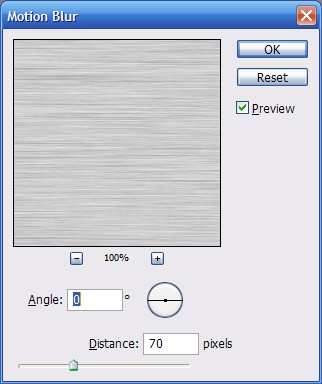
Your image should look like this

Now make the new image a pattern by selecting Edit > Define Pattern
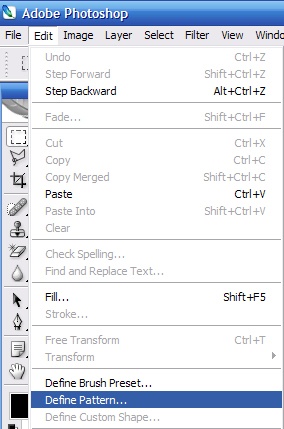
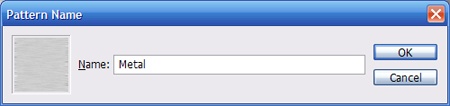
Give the pattern name and press OK. You can now close the metal image and return to our UFC logo.
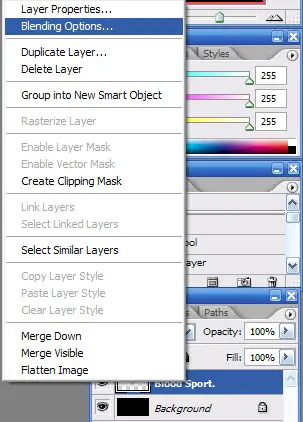
On our UFC Image select the layer that we just created by combining the two. Right click on it and select Blending Options.
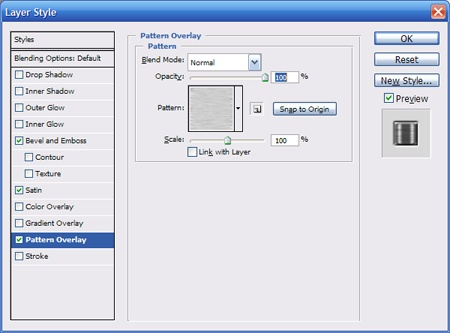
Apply the following Blending Options:
Pattern Over lay. Select your new pattern by clicking on the existing pattern and browsing to your metal one. Make sure you uncheck the box that says “Link with Layer” and then press Snap to Origin button. This should line up the pattern.
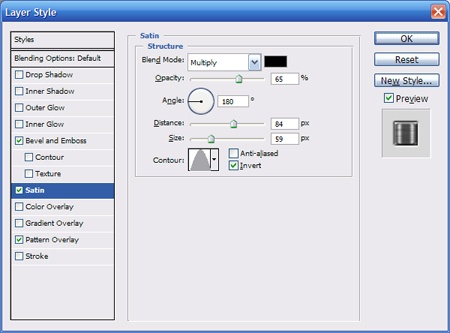
Now apply these Satin Settings.
To finish it off apply these Bevel and Emboss settings.
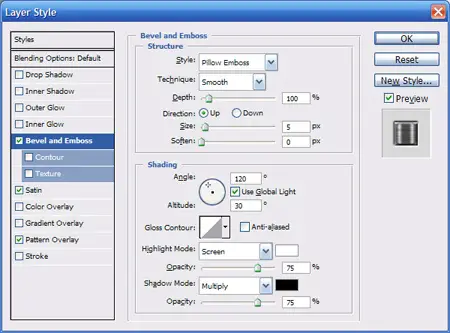
You can apply the changes by pressing the OK button. You image should now look like this.

It looks good, but it is too clean to represent the UFC. We need to add some blood. Create a new layer. Download these brushes from AngryBlue. Unzip the brushes and load them in Photoshop using the brush tool.
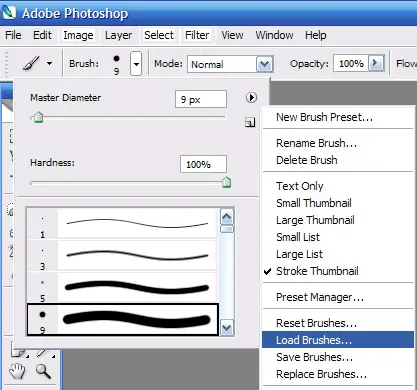
Select the brushed that you just downloaded.
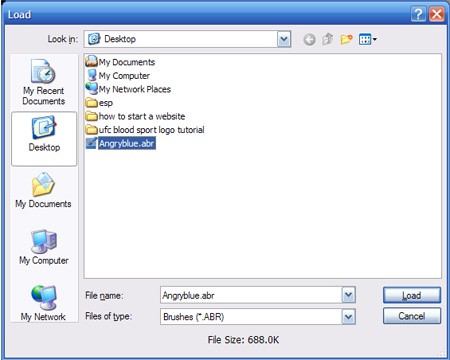
Now we will select a brush and add some blood to our new layer. The brush a used is this one.
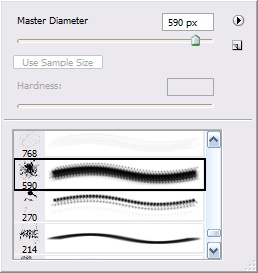
Now add some blood using #a2171a as your foreground color.

Now change the blend mode of the layer to overlay.
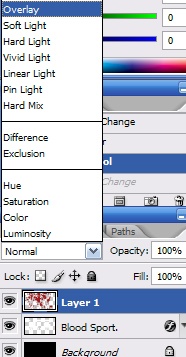
Your final image should look like this. I nice bloody logo to represent the UFC.

Popularity: 50% [?]
Pages: 1 2


on July 24th, 2007 at 7:44 pm
great work thank you dear
i hope see more bye ::j
on November 29th, 2007 at 12:24 pm
How do I Install the texts?
on November 29th, 2007 at 6:01 pm
To install a font in wondows. Download the font. If it is in a .zip or .rar file right click the file and select extract. Extract the file to your desktop. Then go into the Control Panel. Select Fonts and copy the font over.
on December 13th, 2007 at 3:30 pm
um..
where can i download brushes?
i have photoshop 7.0
on December 13th, 2007 at 3:34 pm
There is a link in the tutorial for the brushes used. You can download them from that site. You can also check any search engine forPhotoshop brushes and patterns.
on January 5th, 2008 at 2:04 pm
Very cool tutorial. At first when I saw you splatter the blood all over it I got worried but then in the end it turned out awesome. Good job on this one.
on January 7th, 2008 at 1:58 pm
[...] UFC Blood Sport Logo by TeamTutorials [...]
on March 16th, 2008 at 9:59 pm
Dude, there is something wrong with this.
I selected the color of the splatter as red, and its still showing up as black.. wtf?
on April 8th, 2008 at 4:04 pm
Excellent tutorial, I love it thanks!
on April 17th, 2008 at 9:49 pm
Nice man. @ the guy crying above ur thing must be set on gray scale that y it comes out black so u have to change to it RGB.
on May 18th, 2008 at 10:03 am
The blood splatter comes out in “metal” how do I get it red?